Option Research with OptionsPlay
Published: Oct 17, 2022
Updated: Mar 26, 2026
Harness the power of OptionsPlay to unlock new trading opportunities and demystify the world of options.

In the dynamic world of investing, the right tools are essential for both seasoned traders and novices. Questrade is extremely proud to partner with OptionsPlay (opens in a new tab) to bring you their research and trading tools completely free of charge to the Questrade platforms.
Built right into the Questrade Edge Web and Edge Desktop platforms, the brand new OptionsPlay research tab provides you with a user-friendly interface for options research, trade ideas, educational tools, profit calculators and much more.
OptionsPlay’s motto (opens in a new tab) “Options for the Rest of Us ® '' drives them to democratize options for all investors to help reduce risk, increase profits and provide invaluable options education and insights.

Whether you’re an options pro looking to discover new actionable trade ideas, or a beginner who needs help deciding on the best strike price or expiration, OptionsPlay’s tools are there to help.
Why wait?
Take your options trading to the next level with OptionsPlay and Questrade.
Top OptionsPlay research tools
Jumping into the world of options trading is considerably easier with OptionsPlay's suite of top-tier research tools. Get a quick overview of the top 3 tools offered by OptionsPlay below.
Trade Ideas
The Trade Ideas tool is every trader’s daily companion, serving up fresh, actionable trading insights gleaned from thorough technical analysis scans.
Sort by bullish or bearish, and filter by market cap, implied volatility, liquidity, market sectors, or even by the specific type of technical scan used to find the exact trading opportunity to match your personal needs.
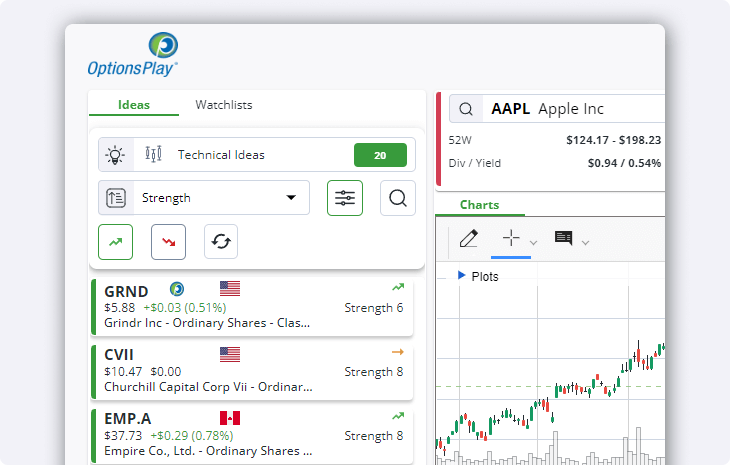
Looking for even more trade opportunities? Switch to the Watchlists tab at the top left beside Ideas to browse through a thorough selection of watchlists.
Trading tab
Whether you've discovered an opportunity through the Trade Ideas tab, watchlists, or decided to search for a specific option of your choice, the trading tab is your next go-to. Located at the top right-hand side of your OptionsPlay window, it helps you narrow down the strategy that best suits your needs.
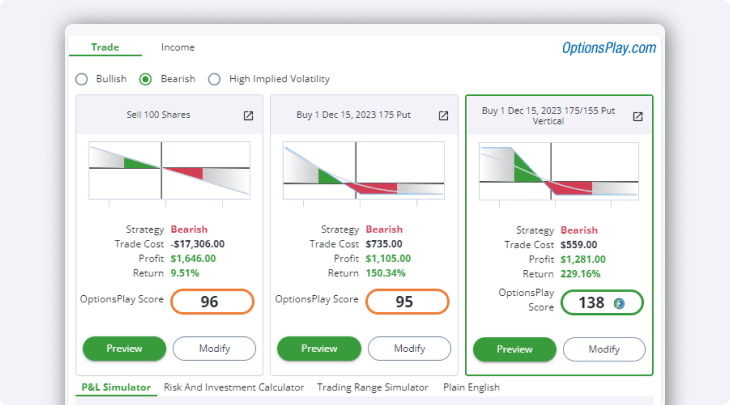
This invaluable resource empowers traders to make informed decisions, tailoring their approach to align with market dynamics and personal risk tolerance. Browse through bullish, bearish, or high volatility-based strategies and preview the top 9 trade ideas.
Not a fan of the expiry dates or strike prices shown? Select Modify to customize any strategy to align with your goals. Ready to make your move? Select Preview to show this trade in your order entry window.
Below the strategies you’ll also find additional tools like the P&L Simulator, Risk and Investment Calculator and Trading Range Simulator.
Not sure how a strategy works and want a simplified explanation? Select the Plain English tab to show you a text breakdown of any selected strategy.
Income Tab
Step into the world of income generation with options using the Income Tab Tool.
It’s designed to simplify the process of buying stocks at a discount using a Cash Secured put strategy, while also ensuring consistent income through Covered Calls as you hold onto your investments.
With just a glance, it shows how much potential income could be generated from any optionable stock or ETF, providing instant ideas even for those unfamiliar with trading options or navigating an options chain.
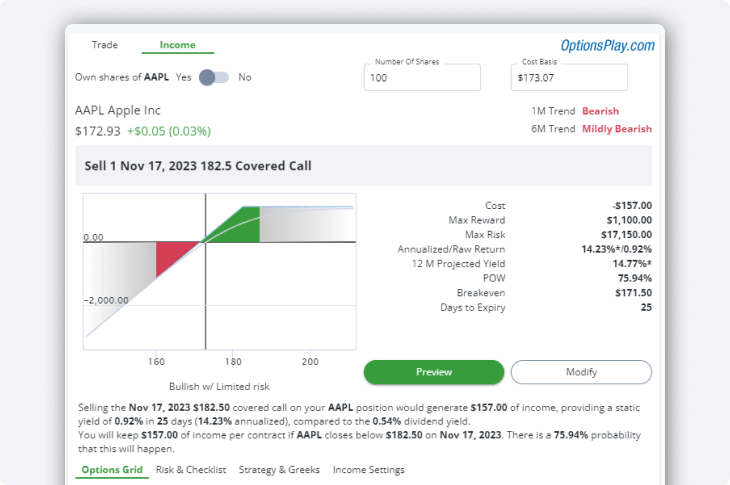
Securities shown are for illustrative, educational, and visual purposes only, and should not be relied upon as financial advice. The information provided is not intended to be and should not be construed as a recommendation, offer, or solicitation to buy or sell.
The Income tab tool tackles common hurdles like choosing the right expiration date or strike price, analyzing trade data, and comparing the yield to owning the stock outright, making it a valuable asset for those starting their journey in options-based income strategies.
Choose the right strike price and expiration date in the Options Grid tab, go through the potential risk and your trading checklist, and explore the different strategies, greeks and what they mean.
For even more customization, you can also change your Income Settings and modify your defaults.
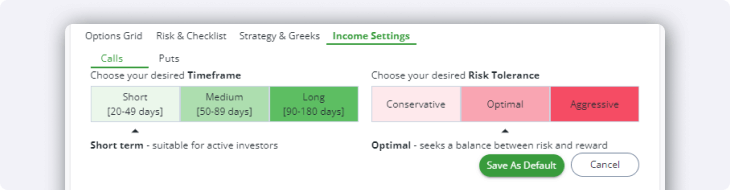
For both Calls and Puts, you can choose your desired Timeframe and Risk Tolerance, either on an individual strategy basis, or as your new default.
Whether you’re a short-term active trader looking for lots of risk, or a long-term passive investor looking for a conservative income-generating strategy, the Income tool offers something for everyone.
OptionsPlay Research in Edge Web
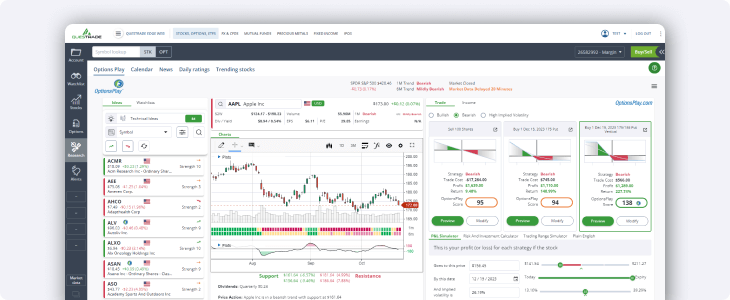
Navigating to the OptionsPlay research tab using Questrade Edge Web is easy. Simply select Research (opens in a new tab)from the left-hand side navigation menu, and the OptionsPlay tab will be the first one to appear at the top.
Before using the OptionsPlay research tools, please read and accept the disclaimer:
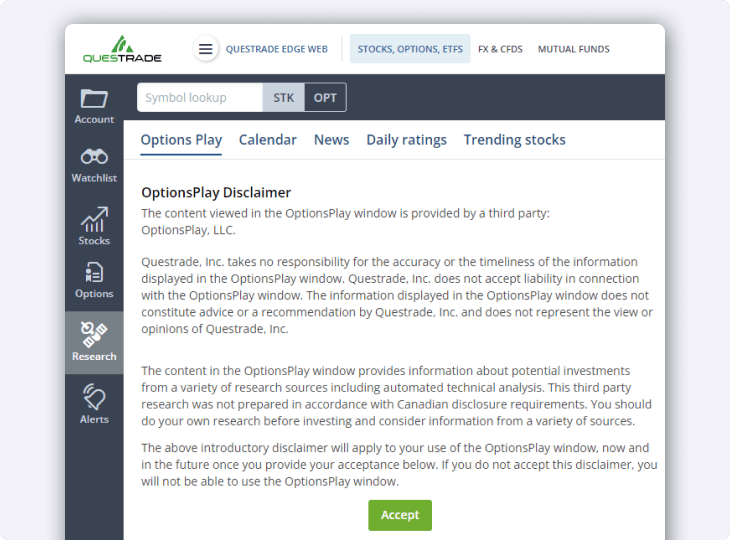
If this is your first time launching OptionsPlay, it may take a few moments to load all of the information. Once loaded, you're ready to start using all the rich analysis tools and much more available to you.
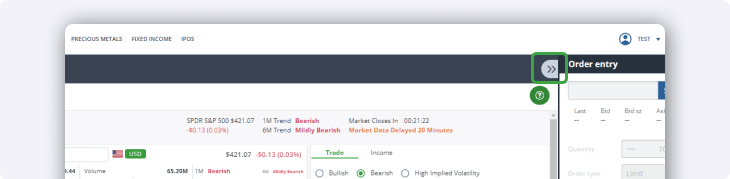
Tip: If you’re using a laptop or a smaller screen, you can also hide the order entry shortcut widget to focus on the OptionsPlay interface.
The platform is engineered to tackle common challenges faced by traders, whether it’s the need for daily trade ideas, or the daunting task of technical analysis.
OptionsPlay synthesizes a vast array of market data into actionable insights, presenting it in a user-friendly interface that expedites the learning curve associated with options trading.
OptionsPlay Research in Edge Desktop
Finding and using the advanced research tools available from OptionsPlay in Questrade Edge Desktop is easy. Simply open the program, log in, and click the OptionsPlay menu button from the top navigation bar.

Please allow a few moments for the window to open if this is your first time using OptionsPlay. To get started, please read and accept the disclaimer.
OptionsPlay and Edge Desktop are a winning combination for every advanced and aspiring trader’s unique needs. Use OptionsPlay alongside your other favourite tools like TipRank’s analysis tools, custom screeners, advanced charting and much more.
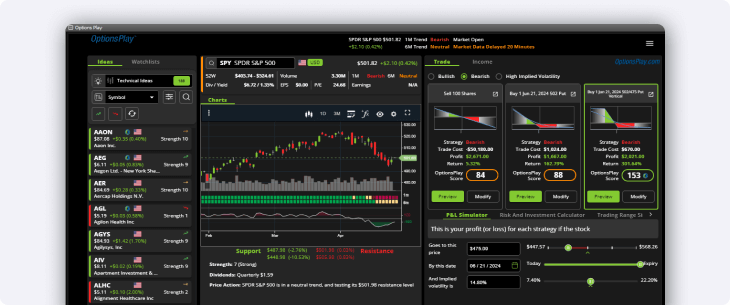
Tip: Want to maximize your screen real estate? You can zoom in and out on the OptionsPlay window in Edge Desktop using CTRL + Scroll up/down keyboard and mouse shortcut.
Ready to dive in? OptionsPlay is free to use for all Questrade customers, but remember you may need to enable options trading for your account if you haven’t done so already.
Get more options features with Questrade Plus
Get access to the helpful P&L Calculator, Level 1 real-time streaming data for U.S. equities and options, and more, all for only $11.95 per month. Sign up to Questrade Plus today.
Additional options resources
Looking for more resources and information about the tools offered by OptionsPlay, or just about option trading in general? Explore this list of learning links to help get you started:
OptionsPlay Webinar series: Learn to trade options (opens in a new tab)
Option levels at Questrade (and required equity levels/account types)
Options FAQ (expirations)
Get started with options today
Take your options trading to the next level with OptionsPlay and Questrade.