How to connect your Questrade account to TipRanks
Link your Questrade account to TipRanks to execute stock and ETF trades directly from your research platform. As the first Canadian brokerage to offer this integration, we've removed the friction between your analysis and your next trade.
Before you start
You need a Questrade self-directed investing account (Cash, Margin, TFSA, FHSA or RRSP).
Ensure multi-factor authentication is active on your Questrade account.
Questwealth Portfolios, custom indexing, and authorized trader accounts are not supported.
Options trading is not available through this integration. To trade options, use Questrade Pro, Edge platforms, or the Questrade mobile app.
Steps
1. Go to tipranks.com (opens in a new tab) and search for any stock or ETF.
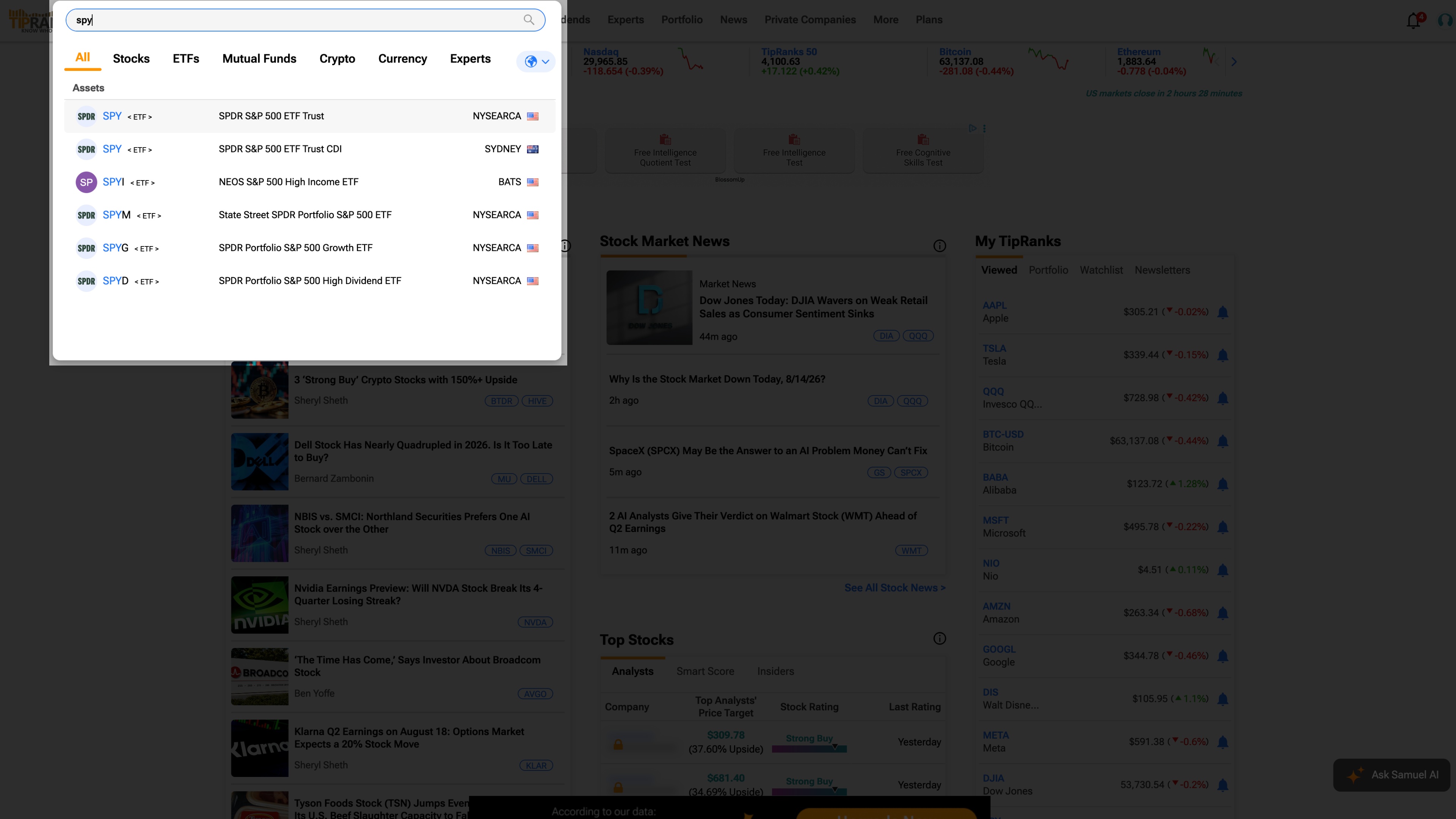
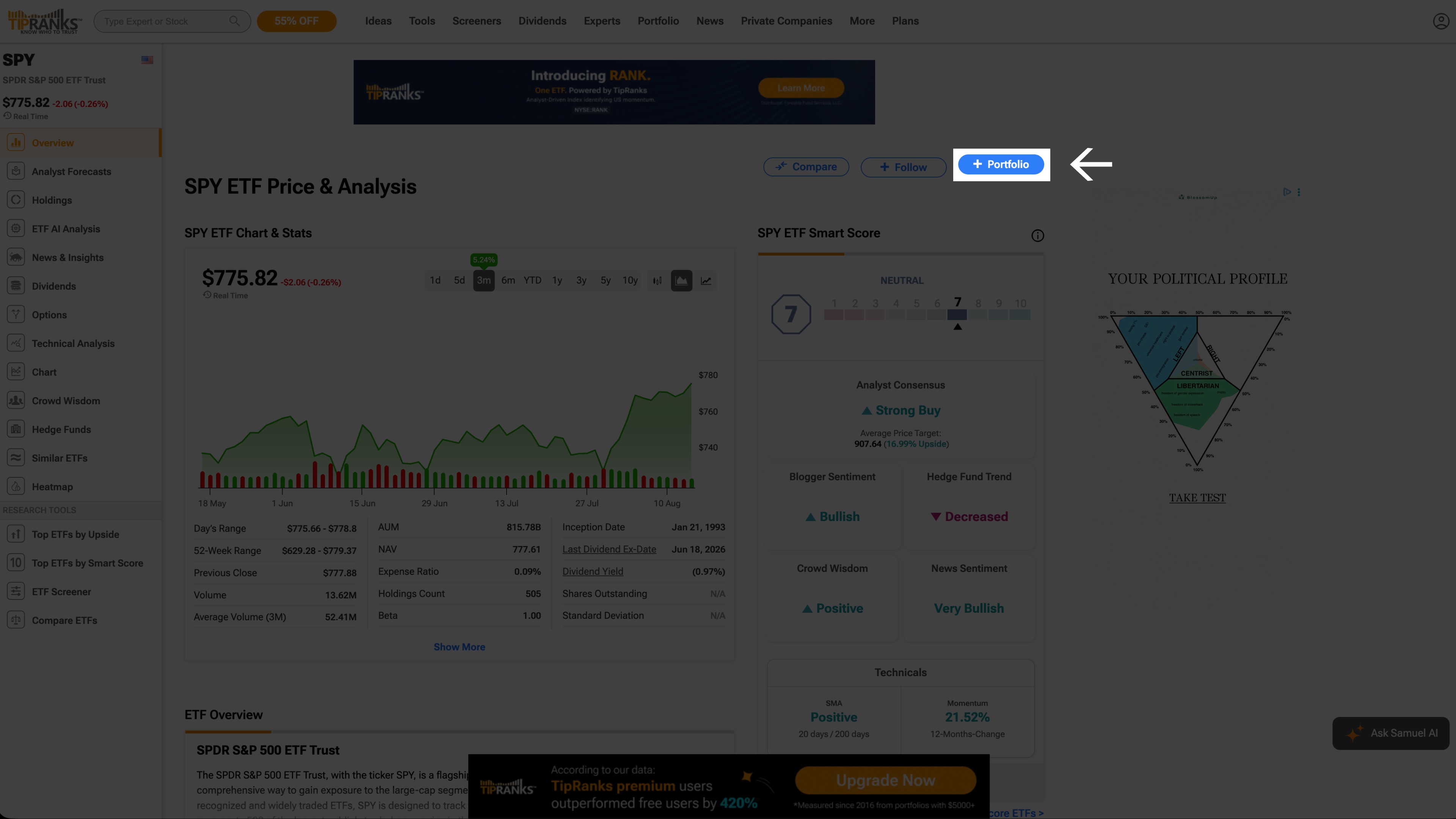
2. On the quote page, select + Portfolio.
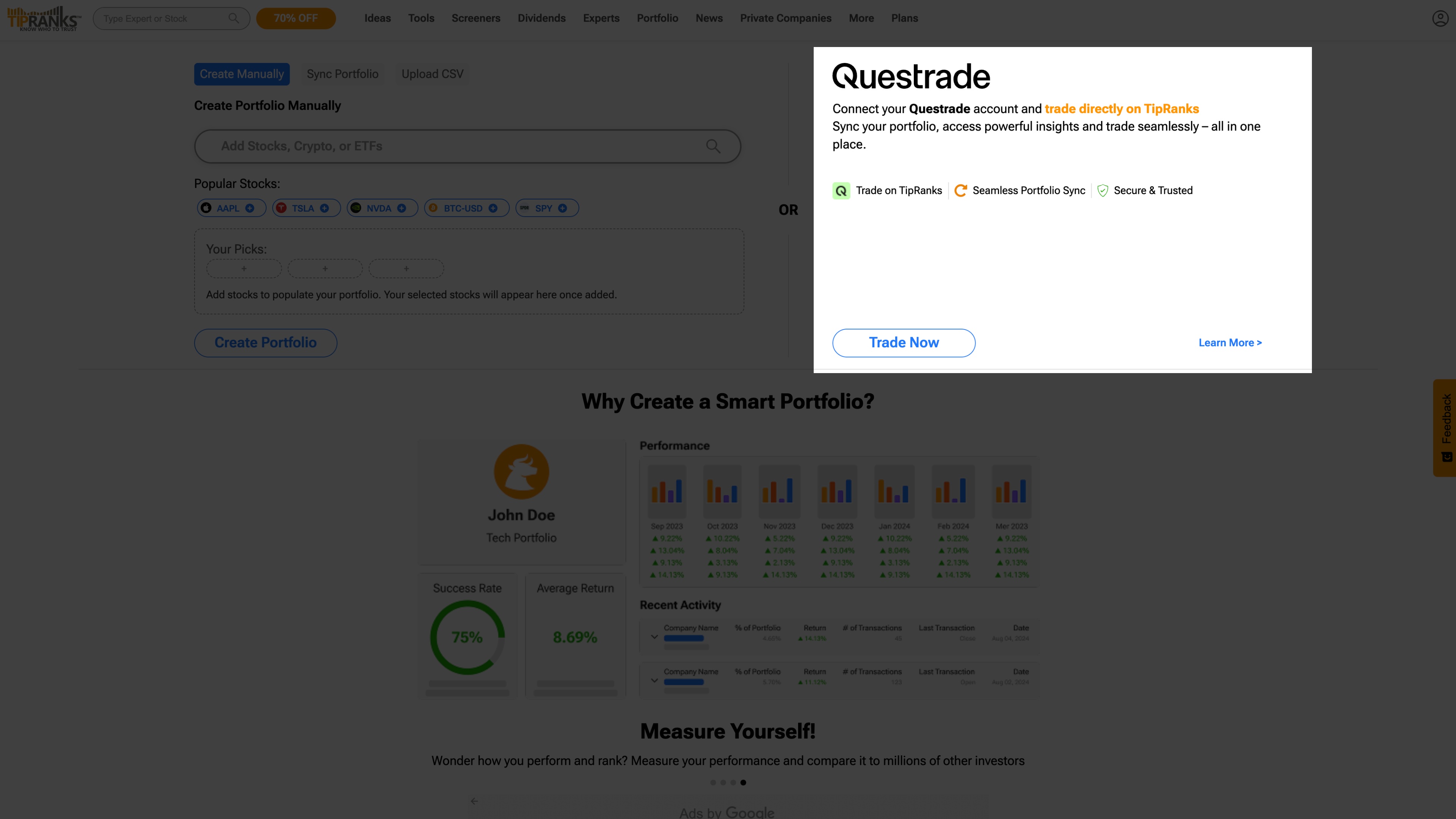
3. Choose Questrade from the list of available brokers.
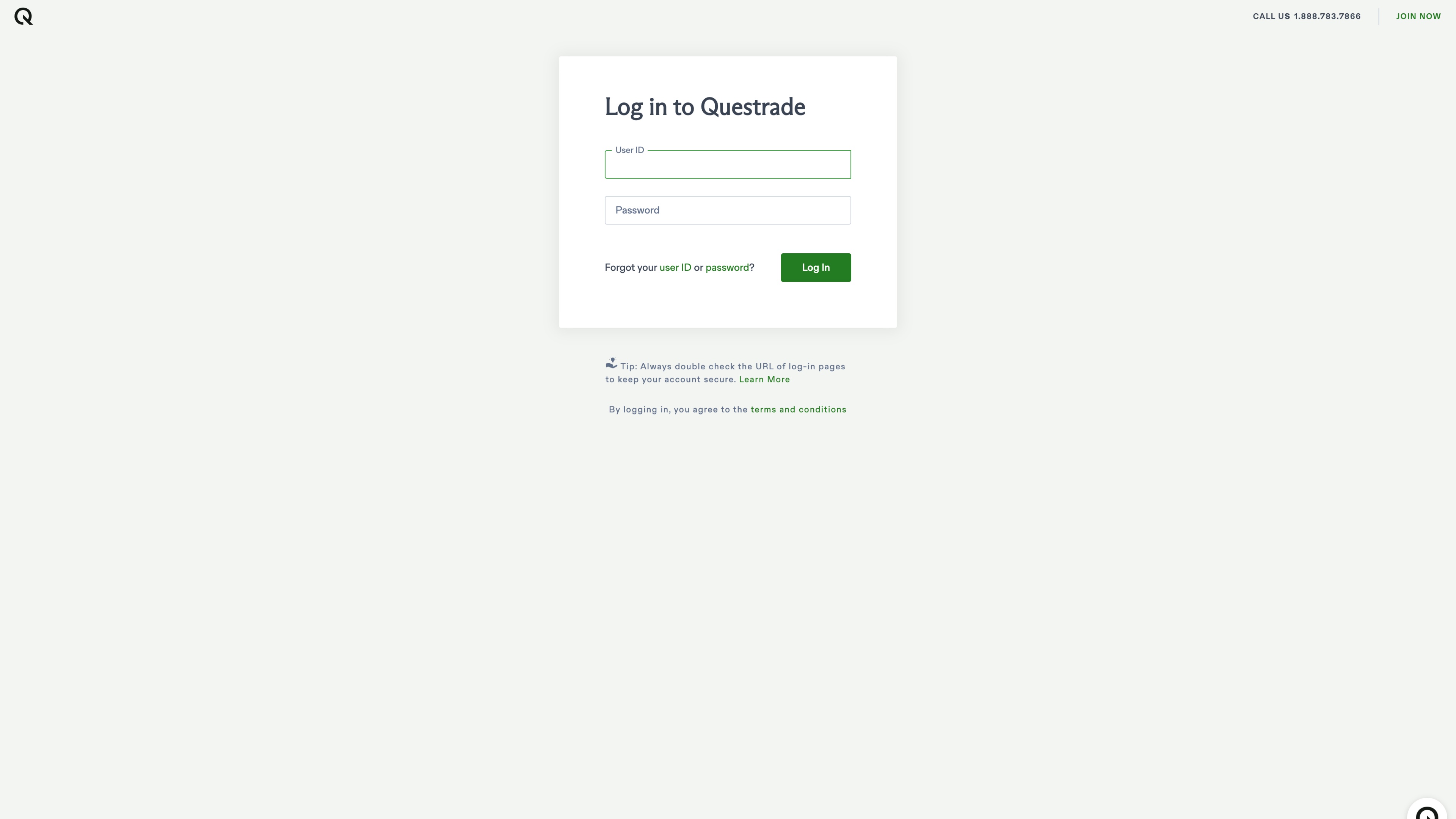
4. Sign in to your Questrade account. Enter your credentials and complete multi-factor authentication.
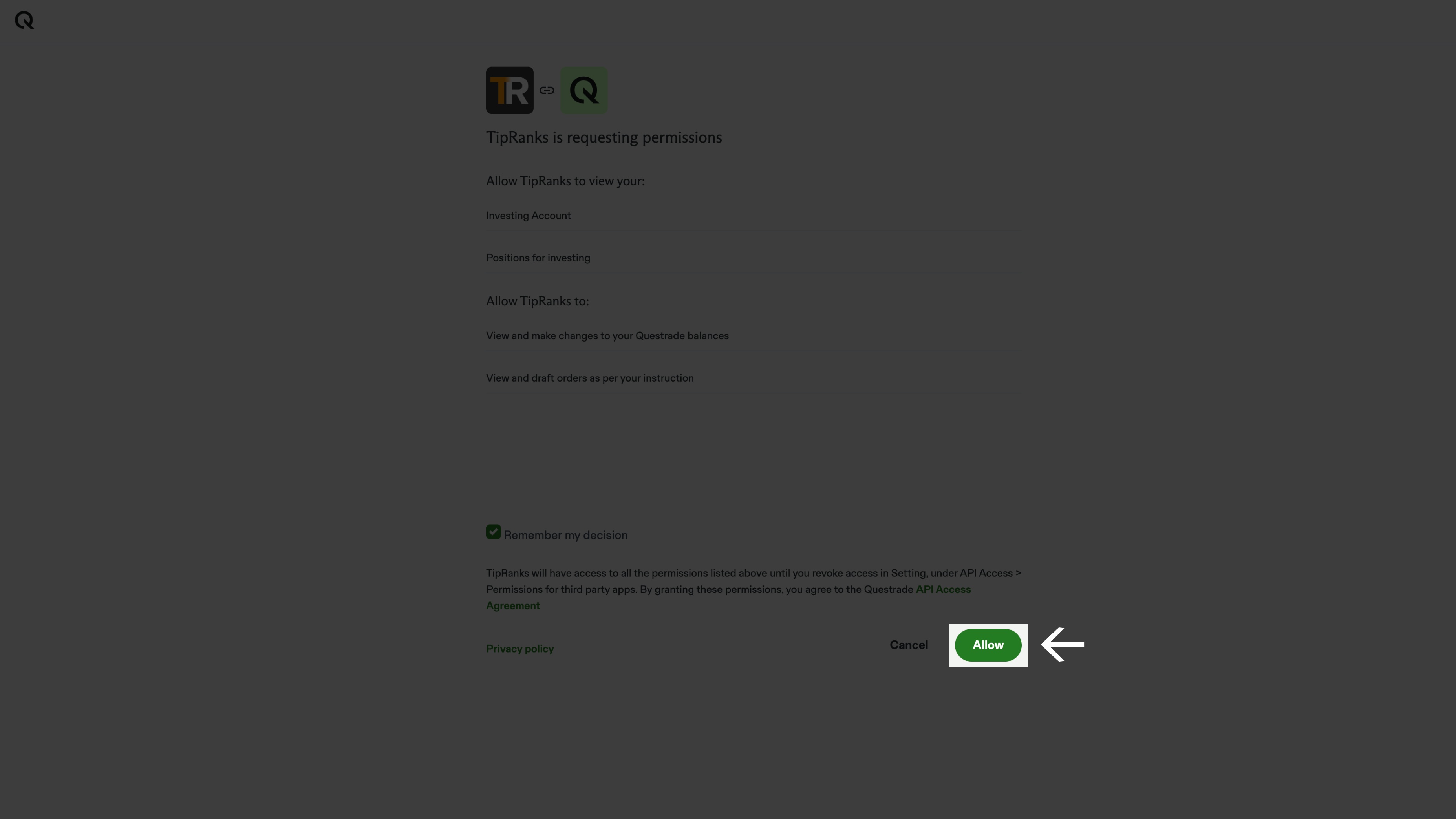
5. Review the consent screen. You will be able to access your account details from TipRanks through this connection (positions, balances, and order access).
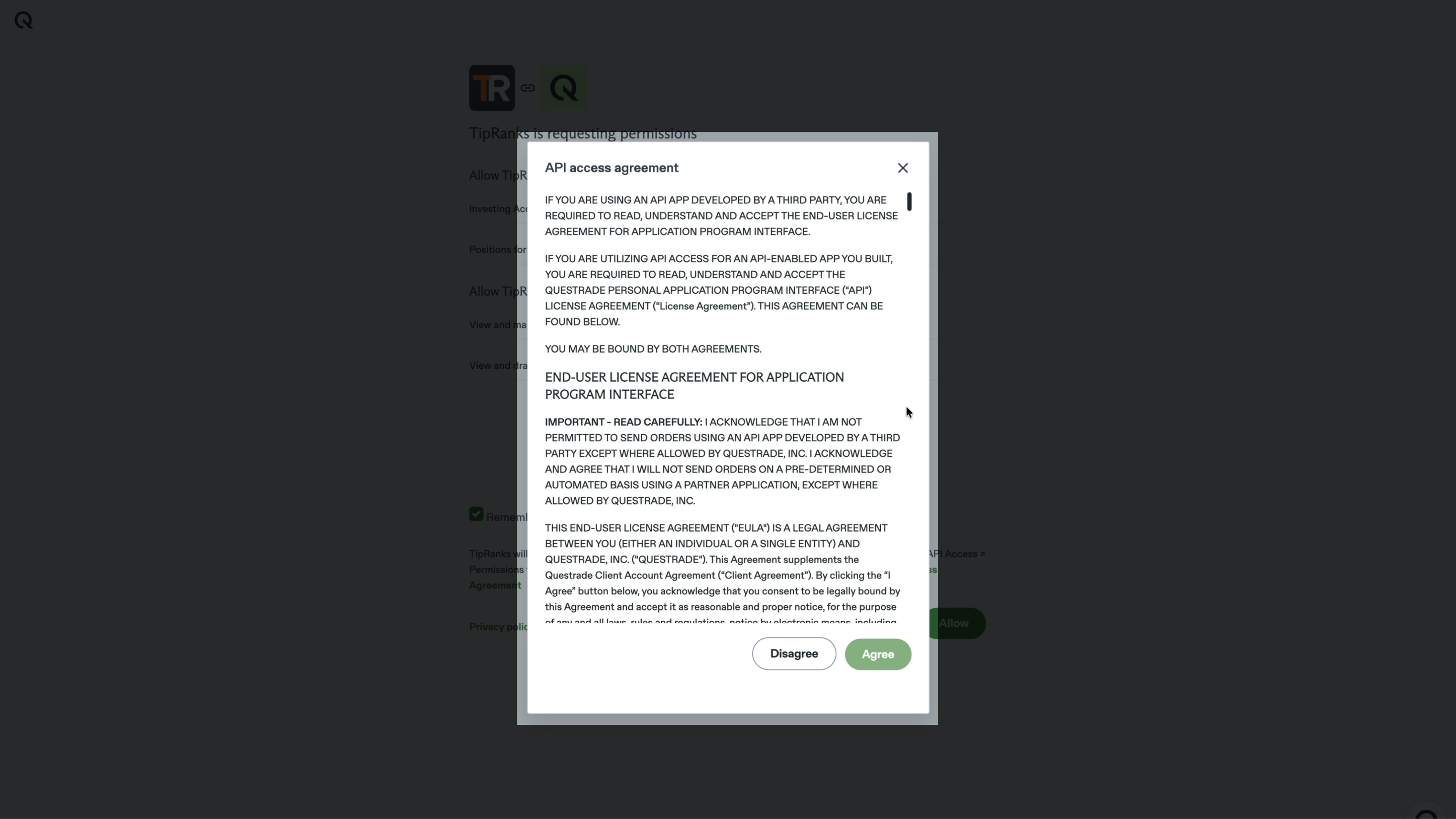
6. Select Allow to authorize the connection.
7. Choose the self-directed investing account you want to trade from.
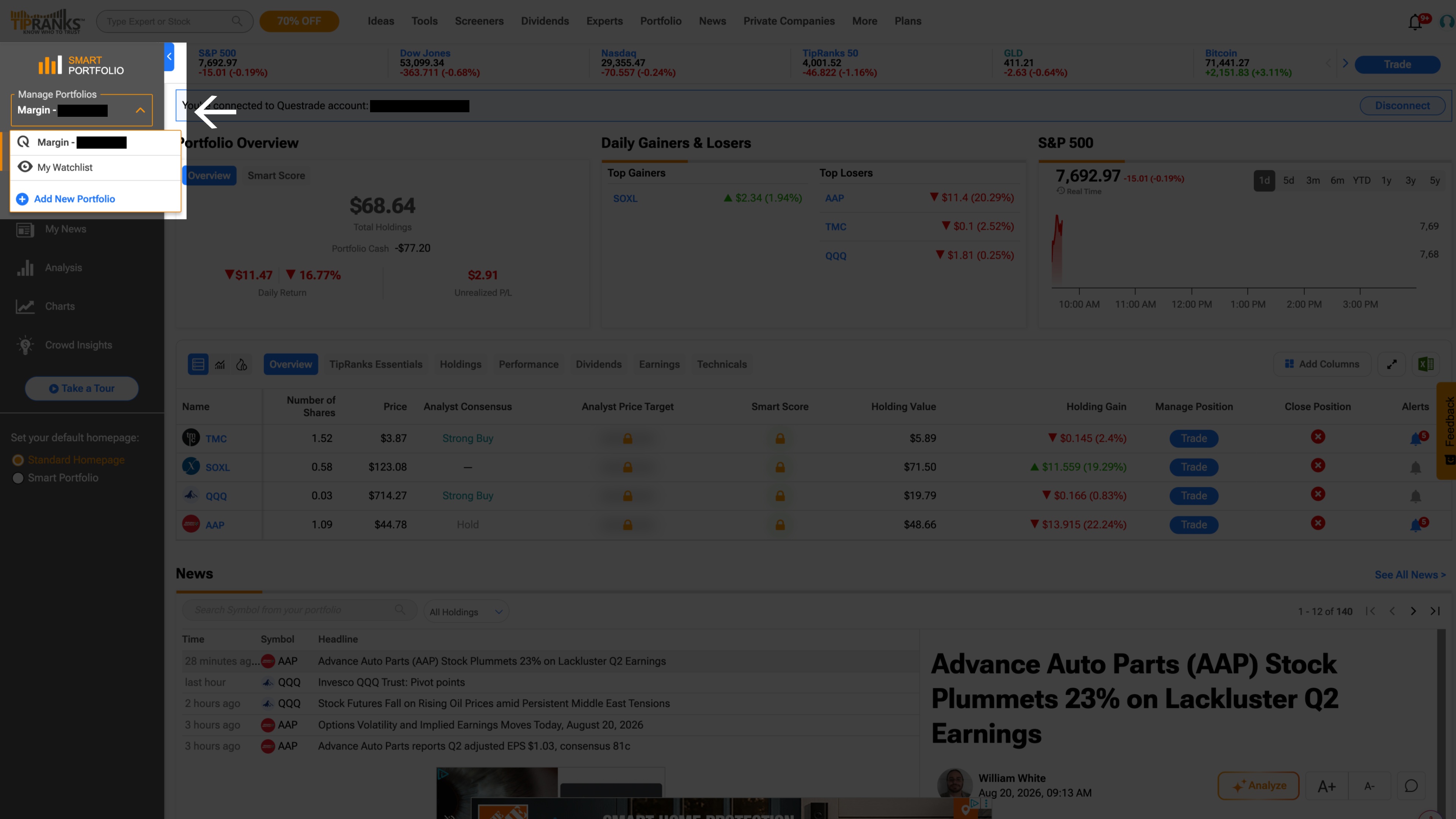
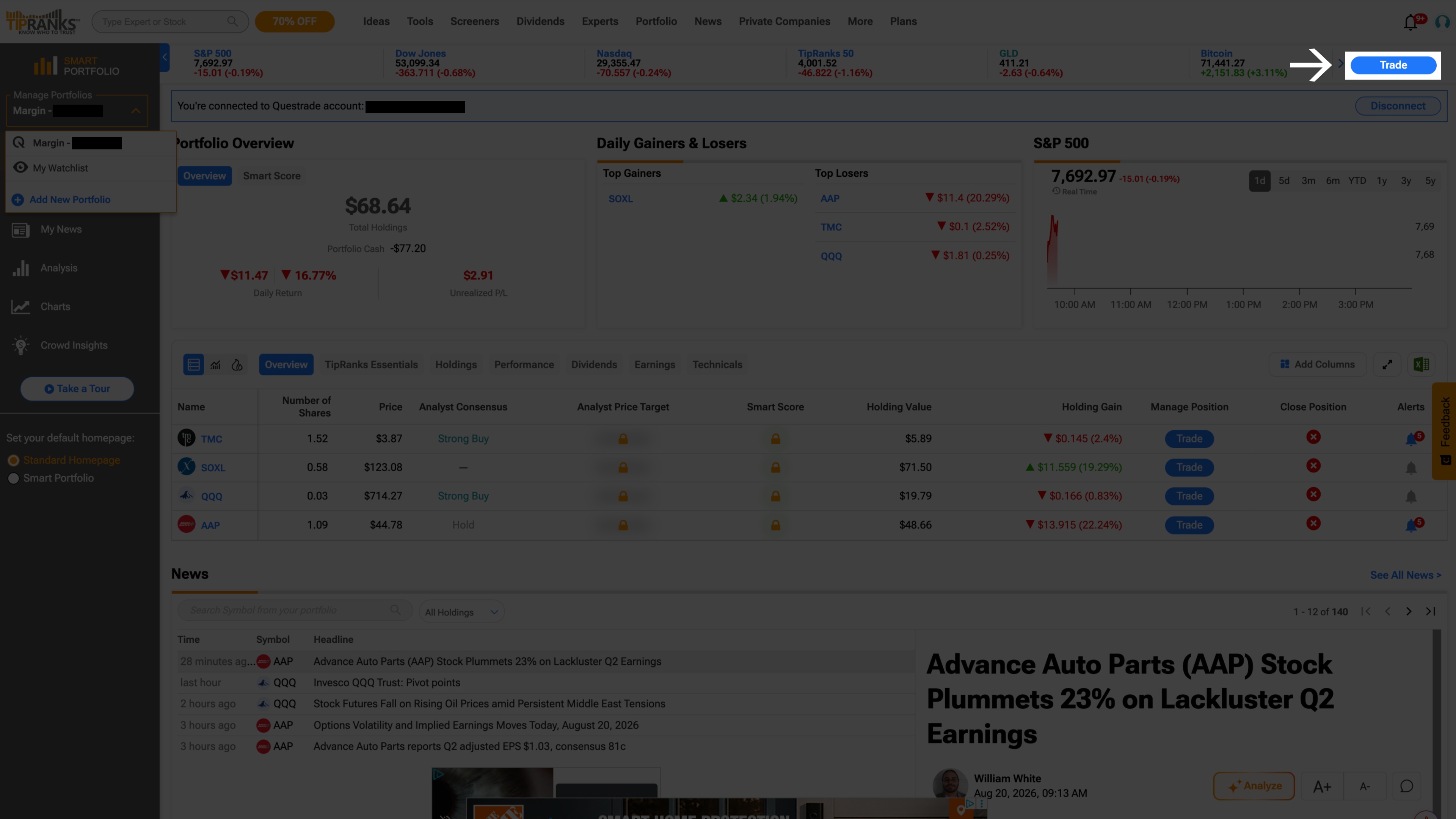
8. On the portfolio page, select Trade and search for the stock or ETF you want to trade.
9. Enter your order details, review commissions and fees in the confirmation modal, then select Confirm Order.
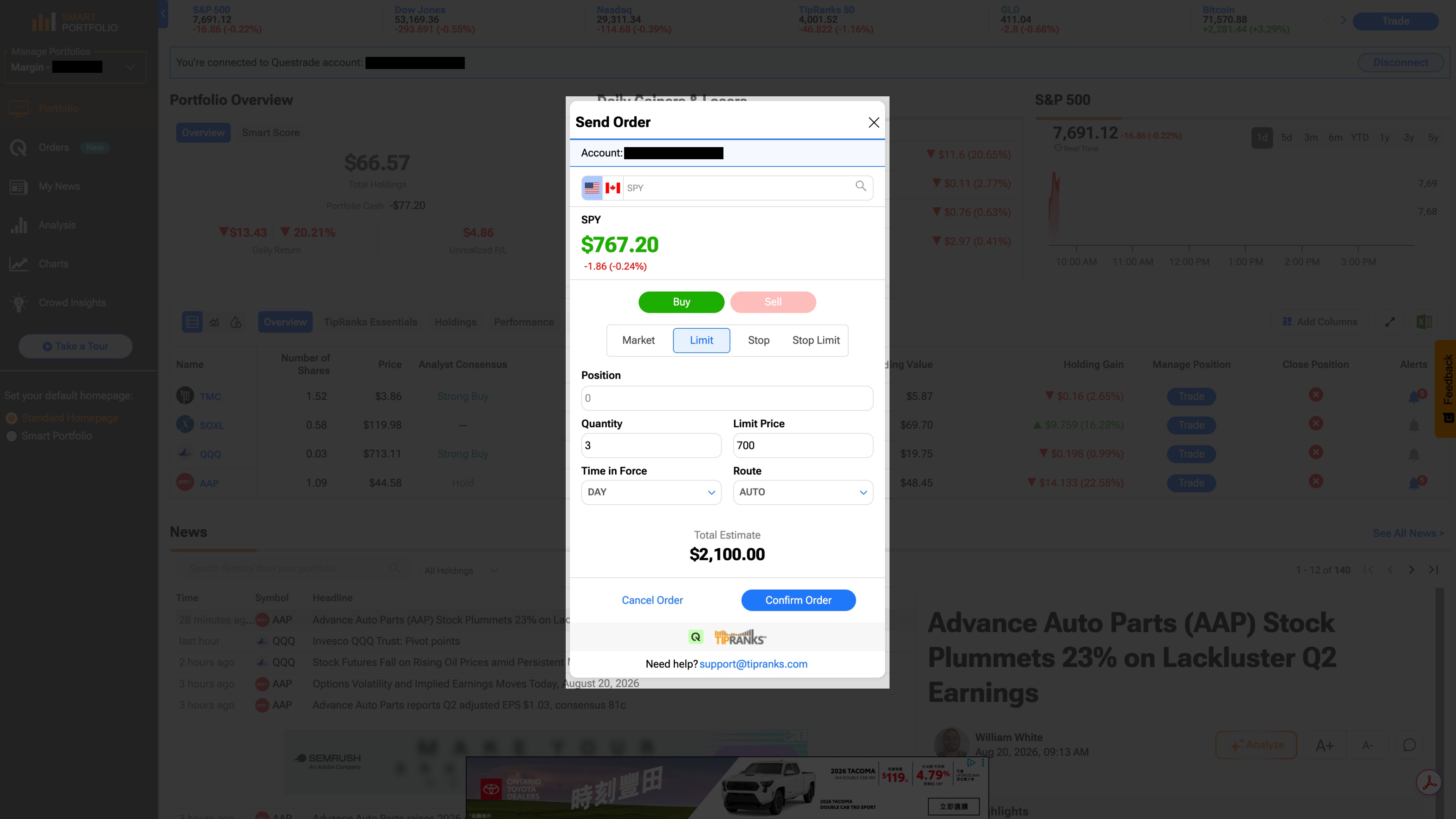
You will see a confirmation that your order has been submitted. The trade appears in your Questrade account in real time, in your order history, positions, and account statements.
What you can trade
Once connected, you can trade stocks and ETFs across Canadian and U.S. markets using these order types:
Market
Limit
Stop
Stop limit
You can also view your real-time positions, P&L, and buying power within TipRanks, and modify or cancel open orders without leaving the platform.
Fractional shares, overnight orders, and complex order types like trailing stops or bracket orders are not available through this integration.
Re-authorization
For security, the connection between your Questrade account and TipRanks expires every 90 days. When it expires, select + Portfolio on TipRanks and sign in to Questrade again. Re-authorization takes less than a minute.
How your data is protected
The connection uses OAuth 2.0, an industry-standard protocol. TipRanks receives delegated access to place trades and view account data on your behalf. TipRanks does not see or store your Questrade username or password.
You can revoke TipRanks' access to your account at any time through your Questrade account security settings (Settings > General > API Access).
Cost
Connecting your Questrade account to TipRanks is free.
If something goes wrong
You cannot connect your account Clear your browser cookies, try a different browser, and confirm that multi-factor authentication is set up on your Questrade account. Make sure you are using self-directed investing account credentials.
You see "session expired" or get disconnected Your 90-day authorization has expired. Select + Portfolio on TipRanks and sign in to Questrade again to re-authorize.
Your order was rejected Review the specific error message provided on-screen—it will usually tell you exactly what needs fixing. Otherwise, verify that you have sufficient buying power, that the market is open, and you selected one of the four supported order types (Market, Limit, Stop, Stop Limit).
Your positions or balances are not showing First, verify that the account you selected actually holds open positions or balances. If it does, check that you selected the correct account within the TipRanks interface. If the data looks outdated, refresh the page or simply disconnect and reconnect your account.
Trade right where you research. Connect your account to TipRanks (opens in a new tab).
Still need help? Contact our support team.